🎲 How to Use an Online Dice Roller for Games
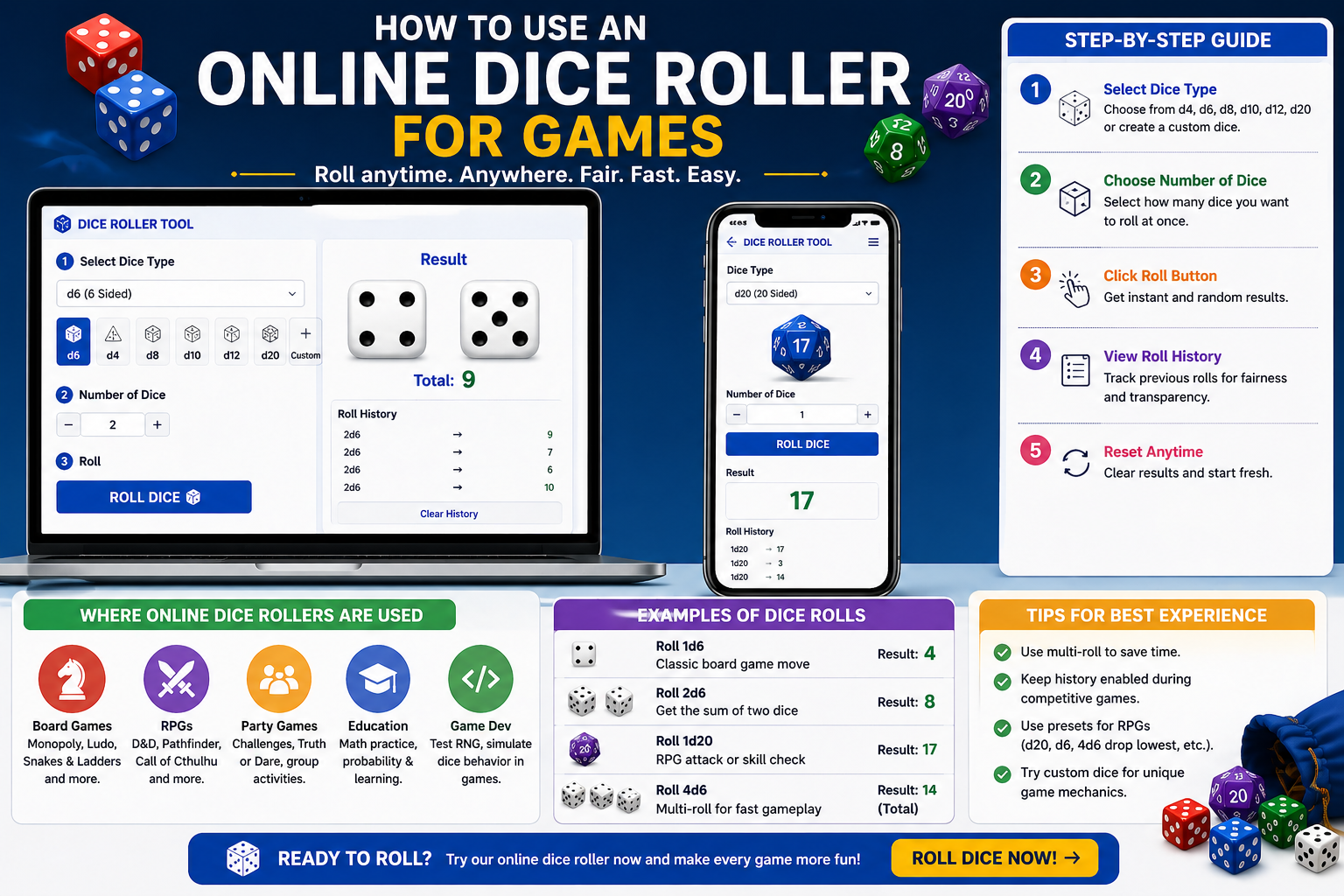
An online dice roller is a powerful digital tool that replaces physical dice and makes gameplay faster, fairer, and more convenient. Whether you're playing board games, RPGs, classroom activities, or party games, a dice roller provides instant and unbiased results.
🎯 Why Use an Online Dice Roller?
- 📱 Works on mobile, tablet, and desktop devices
- ⚡ Roll multiple dice instantly without manual effort
- 🎮 Supports custom dice like d4, d6, d20, or even 1–100
- 🏆 Provides fair and random results every time
- 📊 Tracks roll history for transparency
🧠 Step-by-Step: How to Use It
1. Select Dice Type
Choose standard dice (d6, d20) or create a custom dice range.
2. Choose Number of Dice
Roll one or multiple dice depending on your game.
3. Click Roll
The tool instantly generates a random result.
4. Analyze Results
Use results for gameplay, decisions, or probability experiments.
5. Repeat or Reset
Quickly roll again or clear results.
🎮 Where You Can Use Dice Rollers
- 🧩 Board Games – Monopoly, Ludo, Snakes & Ladders
- ⚔️ RPGs – Dungeons & Dragons (D&D), Pathfinder
- 🎉 Party Games – Truth or Dare, challenges
- 📚 Education – Math and probability learning
- 💻 Development – Testing random logic (RNG)
📌 Real Examples
- 🎲 Roll 1d6 → Classic board game move
- 🎯 Roll 2d6 → Generate sum outcomes
- 📘 Roll d20 → RPG decisions
- 🔥 Roll 4 dice → Fast gameplay in groups
💡 Pro Tips for Better Gameplay
- Use multi-roll to save time
- Enable history for competitive games
- Use preset dice for RPGs
- Try custom dice for experiments
💡 Pro Tip: For RPG games, use presets like d20 or 4d6 to speed up gameplay and reduce manual setup.
❓ Frequently Asked Questions
- Is an online dice roller fair? Yes, it uses random algorithms for unbiased results.
- Can I roll multiple dice? Yes, you can roll multiple dice instantly.
- Is it better than physical dice? For speed and convenience, yes.
Share this wheel:
I just used this fun wheel on thewheelofname.com 🎡 Try it!.