🔤 Using a Random Letter Generator for Kids and Classrooms — 14 Activities That Actually Work
By The Wheel of Name Team ·
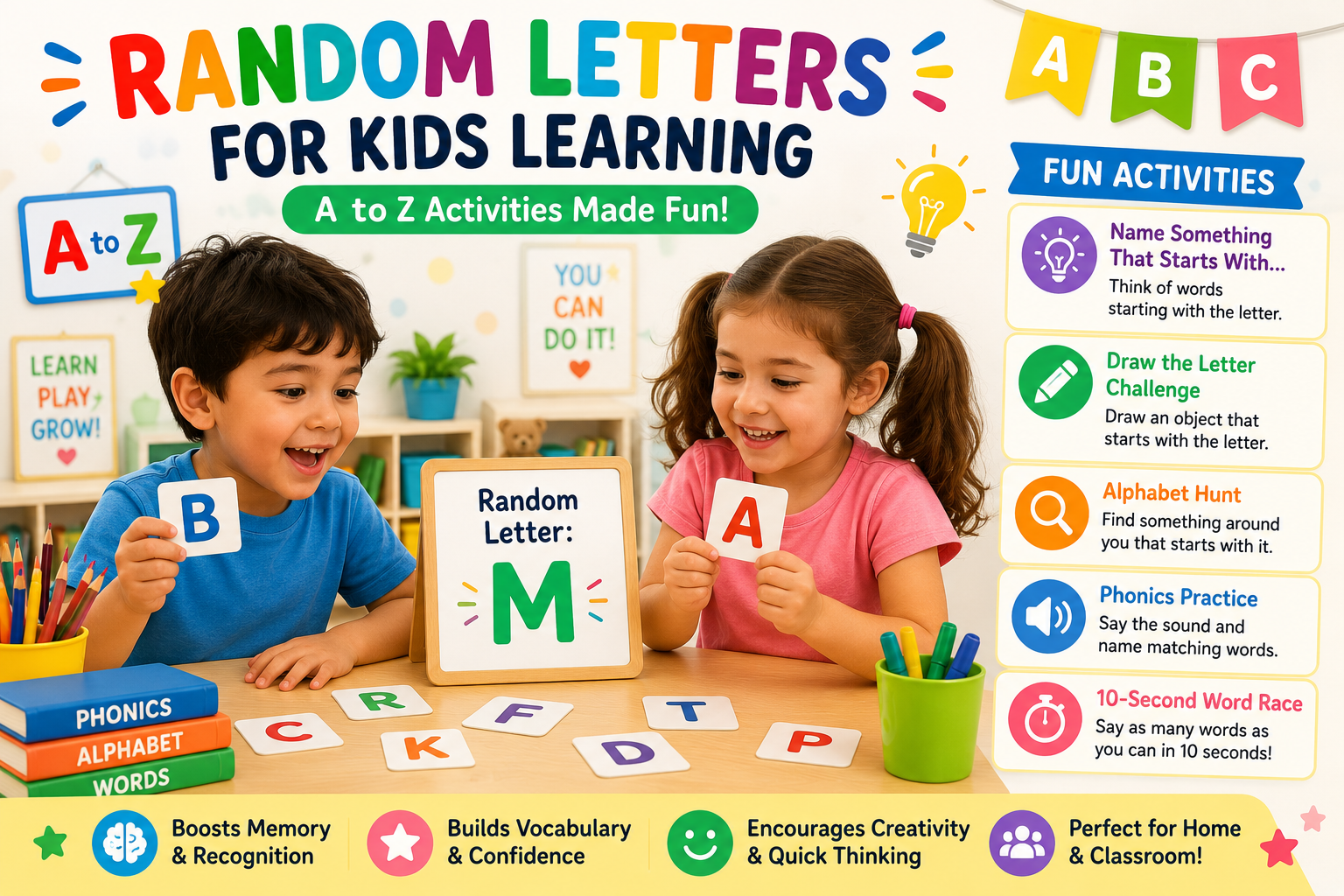
A random letter generator does something a flashcard deck cannot: it removes the pattern. When kids know the alphabet is coming in order, they can recite it from memory without actually recognizing individual letters. A randomly generated letter forces a child to recall the sound, think of a word, or identify an object in real time — which is where learning actually happens.
This guide covers fourteen specific activities for parents, teachers, and homeschoolers, with age guidance for each and setup time of zero. If you want a definition of the tool itself or how the randomization works, see the Random Letter Generator tool If you want to build one in code, see the JavaScript tutorial.
⚙️ How to Set Up the Tool for Your Activity
The Random Letter Generator has a few settings worth knowing before you start an activity. Taking thirty seconds to pick the right configuration makes the activity more useful.
Number of Letters (1 to 10)
Use one letter for preschool and kindergarten activities. Move to three to five letters for word-building games in Grades 2 and up. Ten letters at once is best reserved for experienced word-game players.
Letter Style: Uppercase or Lowercase
Uppercase (ABC) is the default and is easier for early letter recognition — most kids learn capital letters first. Switch to lowercase (abc) when working on reading readiness, since most printed text is lowercase. You can select both checkboxes to mix case in the same result.
Smart Filters: Vowels, Consonants, Unique
- Vowels only (A E I O U): Use this for vowel recognition practice, or for CVC word games where you want to pick the vowel separately from the consonants.
- Consonants only: Removes vowels from the pool. Good for phonics drills where you want to focus on consonant sounds before blending.
- Unique: When generating multiple letters, prevents the same letter from appearing twice. Useful for Word Builder and Word Formation Challenge so kids work with a genuinely varied set.
Phonics Letter Groups
The tool has four built-in letter groups based on common phonics teaching sequences:
- Group 1 — SATPIN (s a t p i n): The standard first phonics set in most early-reading programs. Start here for children just beginning to read.
- Group 2 — CKEHRMD (c k e h r m d): Introduced after SATPIN is mastered. Adds more consonants and expands the words a child can sound out.
- Group 3 — GOULFB (g o u l f b): Third stage, covering more common consonants and the vowels O and U.
- Group 4 — JVWXYZ (j v w x y z): Less frequent letters, suitable once the first three groups are solid.
Click a phonics group button to restrict generation to only those letters. This maps directly to the teaching order used in most UK and US phonics programs, so classroom use aligns with what children are already learning.
⚡ Quick Games That Need No Preparation
Five activities you can start immediately, with nothing to print or prepare.
1. Letter Hunt
Generate one letter. Kids find or name an object in the room — or outside — that starts with that letter. For preschoolers: name one thing. For Grades 1–2: name three things in thirty seconds. For a group: first person to name an object earns a point; play to five.
Example: Letter T is generated. Answers might be: table, towel, toy, tree visible through the window. The constraint of finding something real in the environment — not just recalling a word — strengthens the link between letters and physical objects.
2. 10-Second Word Race
Generate one letter and set a ten-second timer. Kids say as many words as they can starting with that letter before the timer ends. Count the words out loud. Repeat with a new letter. Run it as a solo beat-your-score challenge or a team competition where groups alternate turns.
Tip: For younger children, extend to thirty seconds. For Grades 3–5, reduce to eight seconds and require that no word be repeated across rounds.
3. Animal Alphabet, Food Challenge, and Category Rounds
Generate a letter and announce a category. Kids must name one item from that category starting with the letter. Rotate categories each round: animals, foods, countries, things that are blue, things you find in a kitchen, sports. This works for any group size and any age from Kindergarten up.
Tip: Use the Consonants filter for harder rounds when kids have mastered easy categories, since letters like X, Z, or Q produce trickier challenges within any category.
4. Word Builder
Generate three to five letters with Unique enabled. Kids build as many words as possible using only those letters — letters can be reused within a word. Set a two-minute limit.
Example: Letters S, T, A, R, E. Possible words: star, stare, ears, rare, rate, tare, tears, steer. For Grades 2–3, aim for five words. For Grades 4–5, aim for ten or find the longest word possible.
5. Word Formation Challenge
A harder version of Word Builder. Generate five letters, then challenge kids to use each letter exactly once to form a single word. This is a logic puzzle as much as a vocabulary exercise. Set a two-minute limit and accept near-misses as a discussion point — working out why a sequence does not form a real word is productive vocabulary reasoning.
Example: Letters P, L, A, N, T → "plant". Letters B, R, I, D, E → "bride". Not every combination has a solution, so make clear that a non-solution round is still a valid round.
🎨 Drawing and Writing Activities
These activities work best with paper and pencil alongside the tool. Age range: preschool through Grade 5.
6. Draw the Letter Challenge
Generate one letter. Kids draw an object that starts with that letter. Nothing fancy — a stick figure dog for D or a rough apple for A. The act of searching for a visual object that connects to the letter helps build the vocabulary-to-image link that supports reading retention.
Best for preschool through Grade 2. For older kids, increase to two generated letters and have them draw a scene where both objects appear together.
7. Alphabet Story Starter
Generate four to six letters. Each letter must be the first letter of a consecutive sentence in a short story. The generator decides the constraints; the child decides the content.
Example: Letters B, R, T, M. Story: "Birds flew over the hill. Rain started to fall. The dog ran inside. Mary made hot chocolate." For Grades 2–3, use three letters and allow sentences of any length. For Grades 4–5, use six letters and require at least eight words per sentence.
8. Spelling Bee Practice
Generate one letter. The teacher or parent adds a constraint: "Give me a four-letter word starting with that letter," or "Give me a word that starts with that letter and ends in -ing." Kids propose words, and the group discusses spelling together. Adjust constraints to match the class's current spelling level. No word lists to prepare in advance.
🏫 Classroom Activities for Teachers
These activities work for groups of any size and can fill five minutes as a warm-up or twenty minutes as a main activity.
9. Word Chain Game
Generate the first letter. Student 1 says a word starting with that letter. Student 2 must say a word starting with the last letter of Student 1's word — and so on around the class. Use the generator only to start each new chain. A student who cannot continue in five seconds starts a new chain with a freshly generated letter.
Good for: warm-up vocabulary recall, whole-class engagement, listening skills (students must hear the last letter of the previous word). Works from Grade 1 up.
10. Themed Category Rounds
Generate one letter and announce a theme: US state capitals, animals in a specific biome, foods from a country the class is studying, characters from a book the class is reading. Students take turns naming items that fit the theme and start with the letter. Run four or five themed rounds in a row, changing the theme each time. This works especially well as a five-minute end-of-lesson review.
11. Story Prompt Activity
Generate five letters and project them at the front of the room. Students write a short story where those five letters begin five consecutive sentences. Give eight minutes of silent writing, then read two or three stories aloud. Stories that use the same constraint will always be different — this is what makes the comparison interesting.
Best for Grades 3–5. Reduces the anxiety of a blank page because the first letter of each sentence is already decided, leaving only word choice and plot.
12. Phonics Group Practice
Select Group 1 (SATPIN) from the tool's phonics panel. Generate one letter. Students say the letter sound — not the letter name — then say a word containing that sound. This is an important distinction: the goal of early phonics is sound-symbol association, not letter-name recitation.
Move to Group 2 (CKEHRMD) when students can consistently respond to all SATPIN letters. The built-in groups match the teaching sequence in standard UK and US phonics curricula, so switching between classroom phonics lessons and this activity requires no extra coordination.
13. Vowel and Consonant Sorting
Generate six letters with Unique enabled and no filter applied. Write the letters on the board. Students sort them into vowels and consonants, then — as a second step — try to combine them into a pronounceable syllable or short word. Discuss why some combinations work and others do not. Good for Grades 1–3 phonics and word-structure awareness.
14. Silent Letter Practice (Grades 3–5)
Generate one letter. Students must name a word where that letter is present but silent — or a word that starts with a different letter's sound. Examples: generate K → knight, kneel, know. Generate G → gnome, gnat. Generate W → write, wrap, wrong. This activity works best as a teacher-led discussion rather than a timed challenge, since answers require explanation.
📊 Age-Appropriate Settings at a Glance
Use this table as a starting point. Every child is different — adjust up or down based on how quickly they respond, not on age alone.
| Age / Stage | Tool settings | Recommended activities |
|---|---|---|
| Preschool (3–4) | 1 letter, uppercase, no filter | Letter Hunt, Draw the Letter Challenge |
| Kindergarten (5) | 1 letter, uppercase or lowercase, Vowels filter for vowel days | Animal Alphabet, 10-Second Word Race (30-sec version), Phonics Group 1 |
| Grade 1 (6) | 1–2 letters, Unique, Phonics Groups 1–2 | Word Race, Phonics Group Practice, Category Rounds, Vowel/Consonant Sorting |
| Grades 2–3 (7–8) | 3–4 letters, Unique | Word Builder, Alphabet Story Starter (3 letters), Spelling Bee, Word Chain |
| Grades 4–5 (9–10) | 5 letters, Unique, Consonants filter for extra difficulty | Word Formation Challenge, Story Prompt Activity, Silent Letter Practice, Themed Rounds |
❓ Frequently Asked Questions
What age is the random letter generator best suited for?
The tool works from preschool (age 3–4, using one letter for Letter Hunt) through Grade 5 and beyond. The activities in this guide include age guidance for each one. Generally: one letter and simple naming tasks for under-6, letter combinations and word-building from age 7, and writing or logic activities from age 8 up.
How do I make activities easier or harder?
Easier: use one letter, select uppercase, enable the Vowels filter, give unlimited time, and allow any category. Harder: use five letters with Unique enabled, select Consonants, set a strict timer, and require specific word lengths or categories. The table in the Age Guide section above maps these settings to age ranges as a starting point.
Can I use the phonics groups for classroom teaching?
Yes. The tool has four built-in phonics groups — SATPIN, CKEHRMD, GOULFB, and JVWXYZ — that match the order letters are typically introduced in most UK and US early-reading programs. Click a group button to limit generation to only those letters. Students who are learning SATPIN in school will be working with a familiar set rather than letters they have not studied yet.
What is the difference between the random letter generator and a random word generator?
A random letter generator produces individual letters from A–Z. A random word generator produces complete words. Letter generators are better for early alphabet learning, phonics, and activities where the child constructs the word. Word generators suit vocabulary practice and creative writing prompts where a whole word is needed as a starting point. For a full comparison, see Random Letter Generator vs Random Word Generator .
Does the tool work without a device in the classroom?
No — it runs in a browser and requires a device. For device-free play, write each letter of the alphabet on a separate card, shuffle the deck, and draw cards instead. Return to the tool for independent or homework practice where each child has their own device.
Do these activities work for home practice and homeschooling?
Yes. Letter Hunt, Draw the Letter Challenge, and the 10-Second Word Race all work well with one parent and one child. Word Builder and Alphabet Story Starter are good for quiet independent practice: set the letters and give the child time to work on their own before reviewing together. The phonics groups are especially useful for homeschoolers following a structured phonics curriculum, since the groups align with standard teaching sequences.
📚 Related Articles
Share this wheel:
I just used this fun wheel on thewheelofname.com 🎡 Try it!.